Get paid
Turn the signed estimate into an invoice in one tap
The lines carry over and the confirmed deposit comes off. Email the PDF or download it, mark it paid, and export a CSV for your books.
$29/mo flat · 5 free estimates · 3 free AI drafts · no timer
Next: we email you a sign-in link.
Example
Invoice #1043
- Total
- $691.00
- Less deposit received Paid · confirmed by Lee Plumbing
- −$172.75
- Balance due
- $518.25
Example. Lee Plumbing is a made-up business.
Quick answer
Open the estimate your customer signed and tap Create invoice. The option they picked carries over line by line, and a deposit you've confirmed shows as Less deposit received. Pick when it's due, add a note, then tap Send invoice to email the PDF, or Download PDF. When the money lands, tap Mark invoice as paid.
How it works in Quoza
-
01
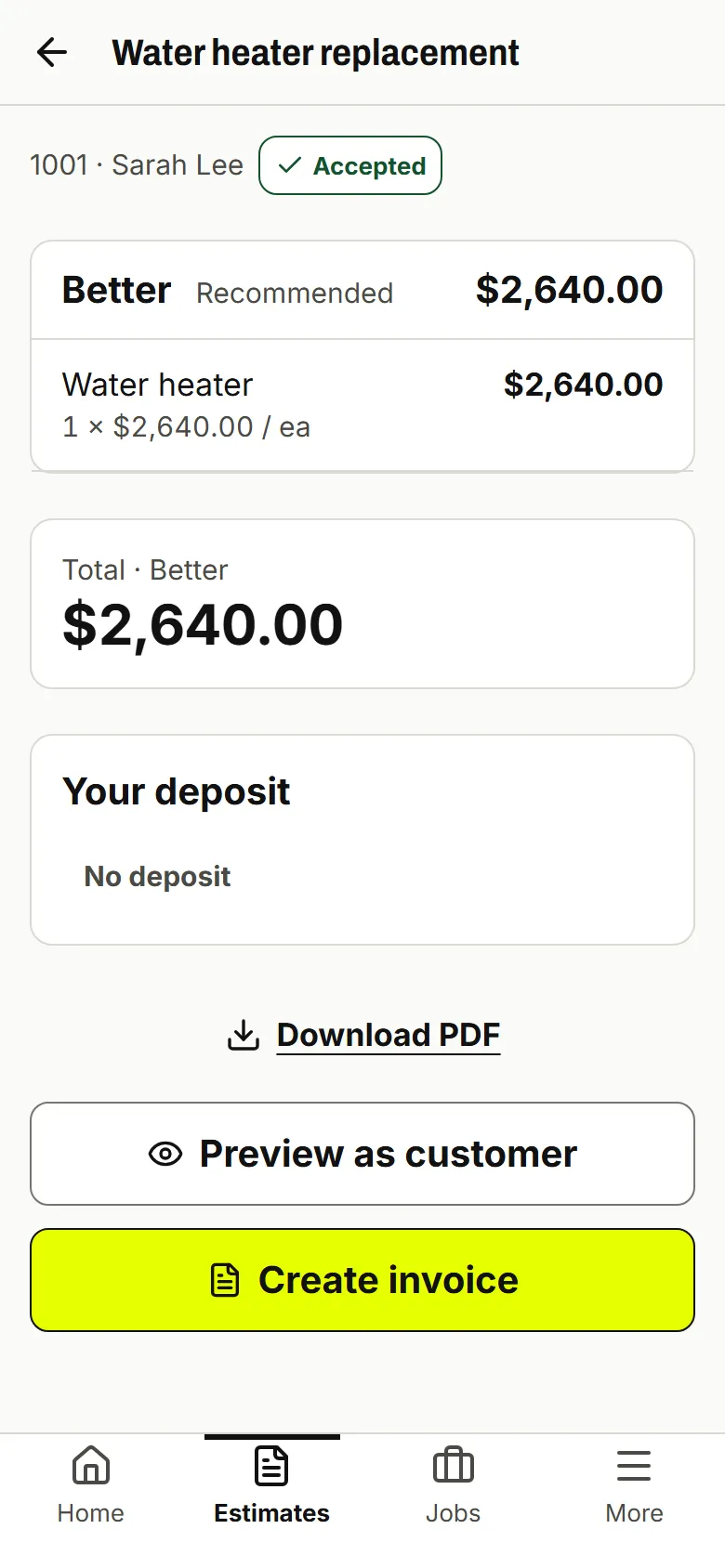
Tap Create invoice on the signed job
Open an accepted estimate and tap Create invoice. The option they picked, its lines and the tax carry over. Nothing to retype.
Real screen · example data -
02
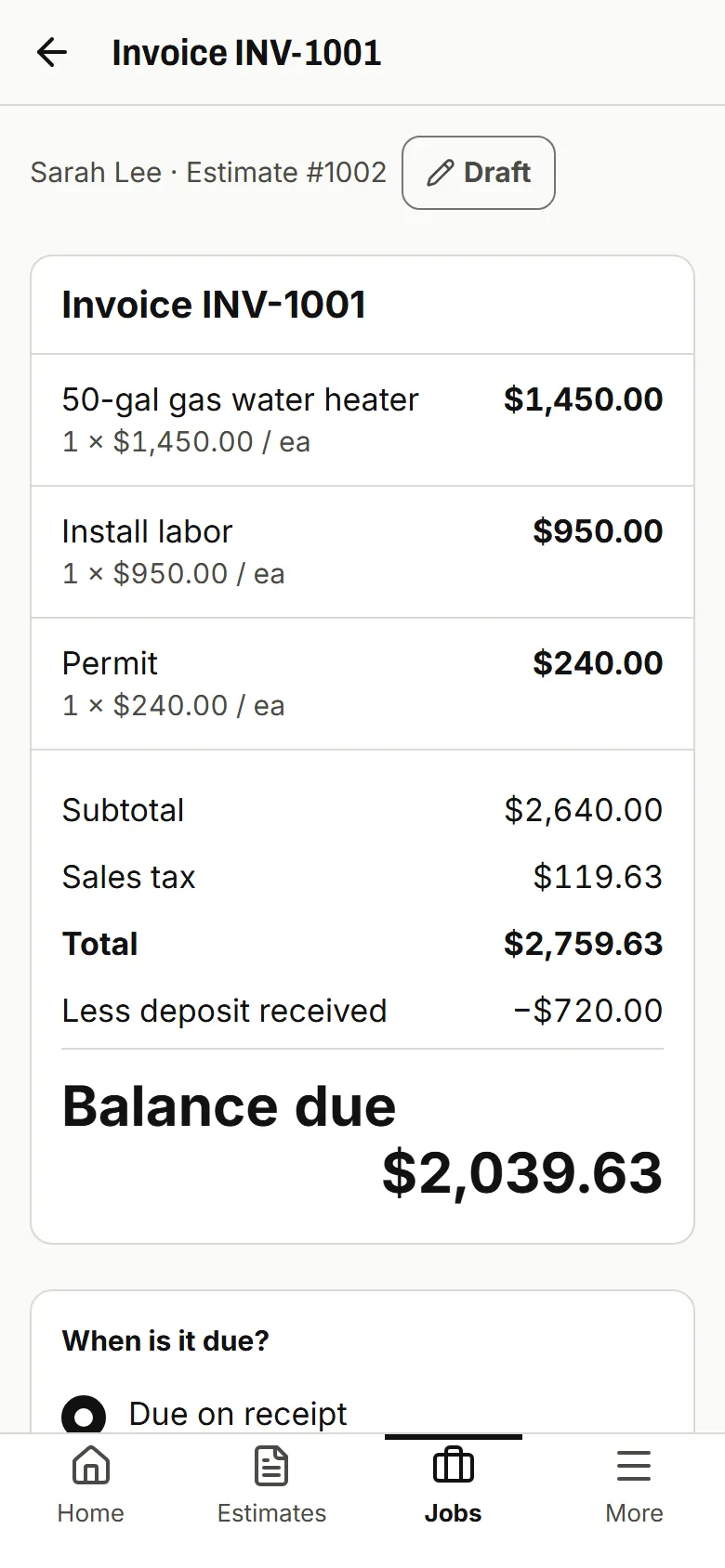
The deposit comes off
A deposit you've confirmed shows as Less deposit received, so the invoice ends with the Balance due.
Real screen · example data -
03
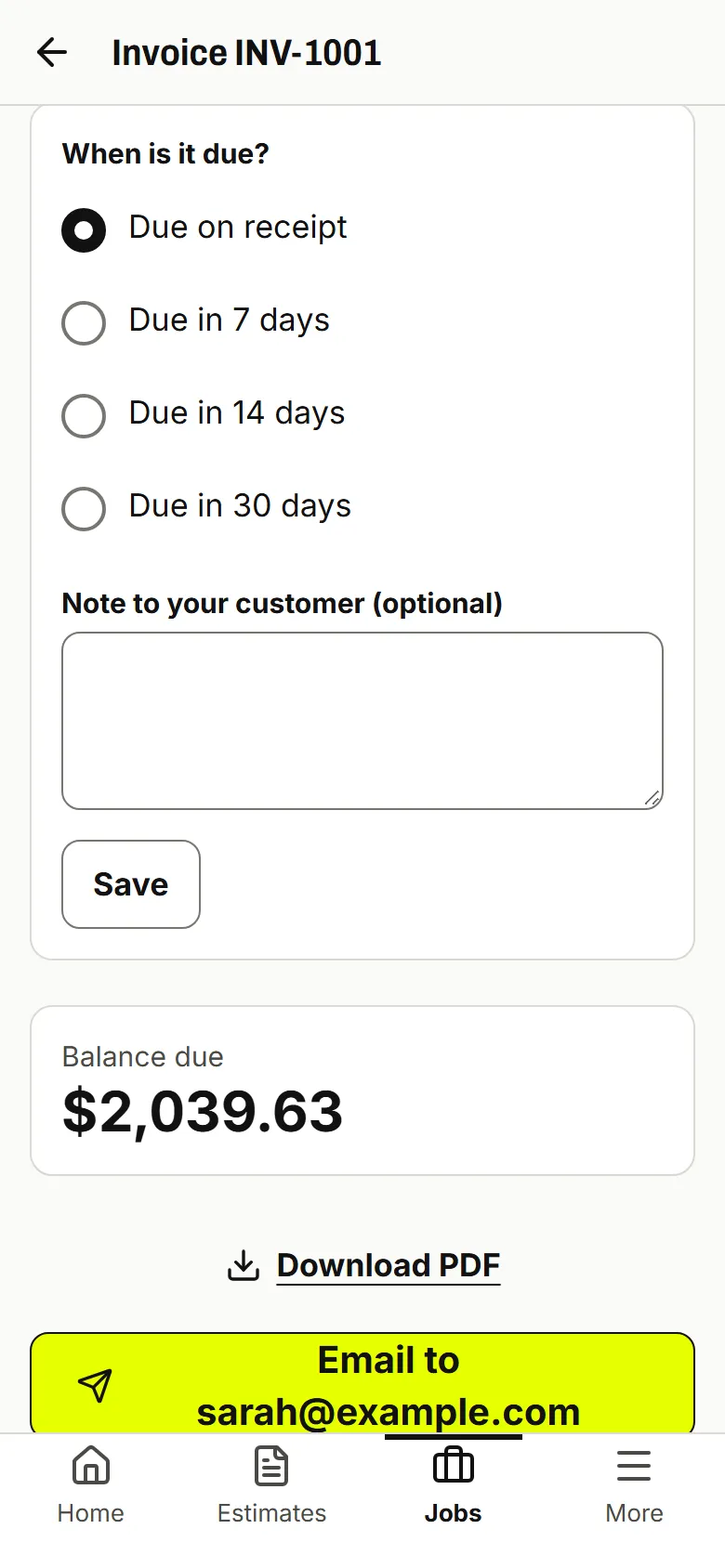
Pick when it's due, then send
Choose When is it due? and add a Note to your customer. Send invoice emails the PDF, or Download PDF and send it your way.
Real screen · example data -
04
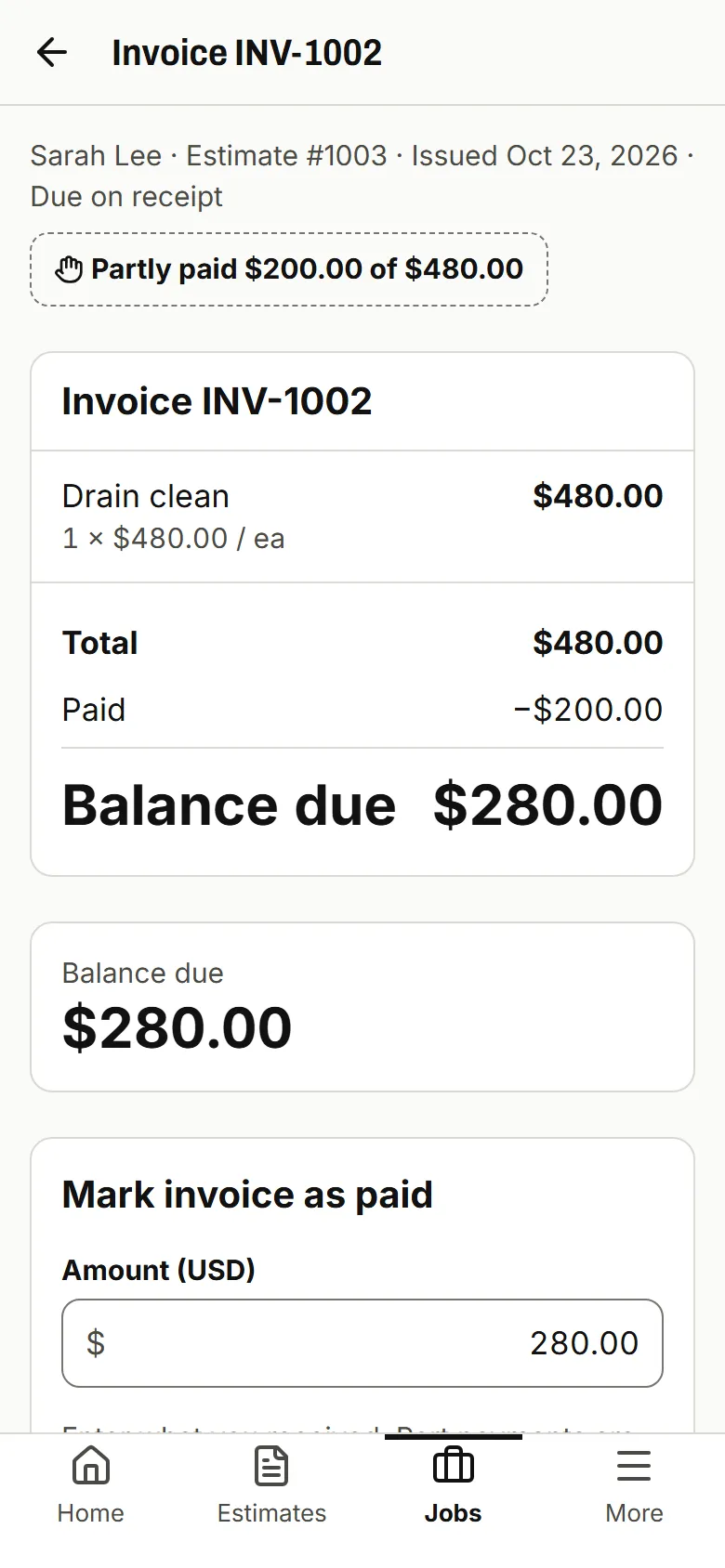
Mark it paid, export for your books
Tap Mark invoice as paid and enter what came in. Part payments show as Partly paid. Export my data gives you invoices.csv.
Real screen · example data
What your customer sees
Your customer gets an email with the invoice PDF: what they signed for, the deposit already received, the balance due and how to pay you, with your payment link or bank details.
Every payment says who confirmed it
Paid straight to Lee Plumbing. Quoza never touches your money.
-
Paid · confirmed by Lee Plumbing
You checked your account
-
Marked paid by you
You marked it, no check
-
Customer says paid · not confirmed
Not counted until you confirm
Example. Lee Plumbing is a made-up business.
Good to know
No automatic payment reminders yet. Late invoices are marked Overdue in your list.
Invoices go out by email or as a PDF you send yourself, not by text from Quoza.
Works for your trade
Most small jobs get billed late because the invoice means typing the job out again. In Quoza the invoice starts from what your customer already signed.
From signed estimate to invoice
Open an accepted estimate and tap Create invoice. The option your customer picked carries over with its lines and the tax. If they paid a deposit and you've confirmed it, it shows as Less deposit received, and the invoice ends with the Balance due. A deposit your customer says they sent but you haven't checked stays on the invoice until you confirm it.
Sending it
Pick When is it due? (due on receipt or in a set number of days) and add a Note to your customer if you need one. Send invoice emails the PDF to your customer. Download PDF gives you the file to send any way you like. Once it's sent or downloaded, the invoice is locked, so there's only ever one version.
Getting paid and keeping records
Your customer pays your own payment link or your bank account, shown under How to pay. When money lands, tap Mark invoice as paid and enter the amount. Part payments are fine. For your books, Export my data in Settings downloads your invoices and estimates as CSV files.
Questions
Do I have to retype the job?
No. Tap Create invoice on the accepted estimate. The option your customer picked, its lines and the tax carry over.
Is the deposit taken off?
Yes, once you've confirmed it. It shows as Less deposit received. If your customer says they paid and you haven't checked yet, the invoice asks you to confirm it first, so it never subtracts money you haven't seen.
Can I change an invoice after I send it?
While it's a draft you can change when it's due and the note to your customer. Once you send or download it, the invoice can't be changed, so you and your customer always see the same thing.
Can my customer pay part of it?
Yes. Tap Mark invoice as paid and enter what came in. The invoice shows Partly paid and the balance left.
How does my customer pay?
The way you already get paid. Your payment link or bank details from Settings › Payments go on the invoice under How to pay. The money goes straight to you. Quoza takes 0%.
Does it work with QuickBooks or Xero?
There's no sync. Settings › Export my data downloads invoices.csv and quotes.csv, and every invoice has a PDF you can hand to your bookkeeper.
Your next estimate, from the driveway.
Start with an example estimate. Your first 5 are free.
$29/mo flat · 5 free estimates · 3 free AI drafts · no timer · See pricing
Next: we email you a sign-in link.