Win the job
Get the estimate signed on the customer's phone
They pick an option, agree to sign electronically and type their name. You both get a signed PDF with a certificate of who signed and when.
$29/mo flat · 5 free estimates · 3 free AI drafts · no timer
Next: we email you a sign-in link.
Example
Example only. Signing is switched off here.
Example. Lee Plumbing is a made-up business.
Quick answer
Send the estimate link. Your customer picks an option, ticks that they agree to sign electronically, types their full name or draws it, and taps Accept & sign. No app or account. The signed version is locked and saved as a PDF with a signature certificate, and a copy goes to you and to your customer by email.
How it works in Quoza
-
01
They agree and type their name
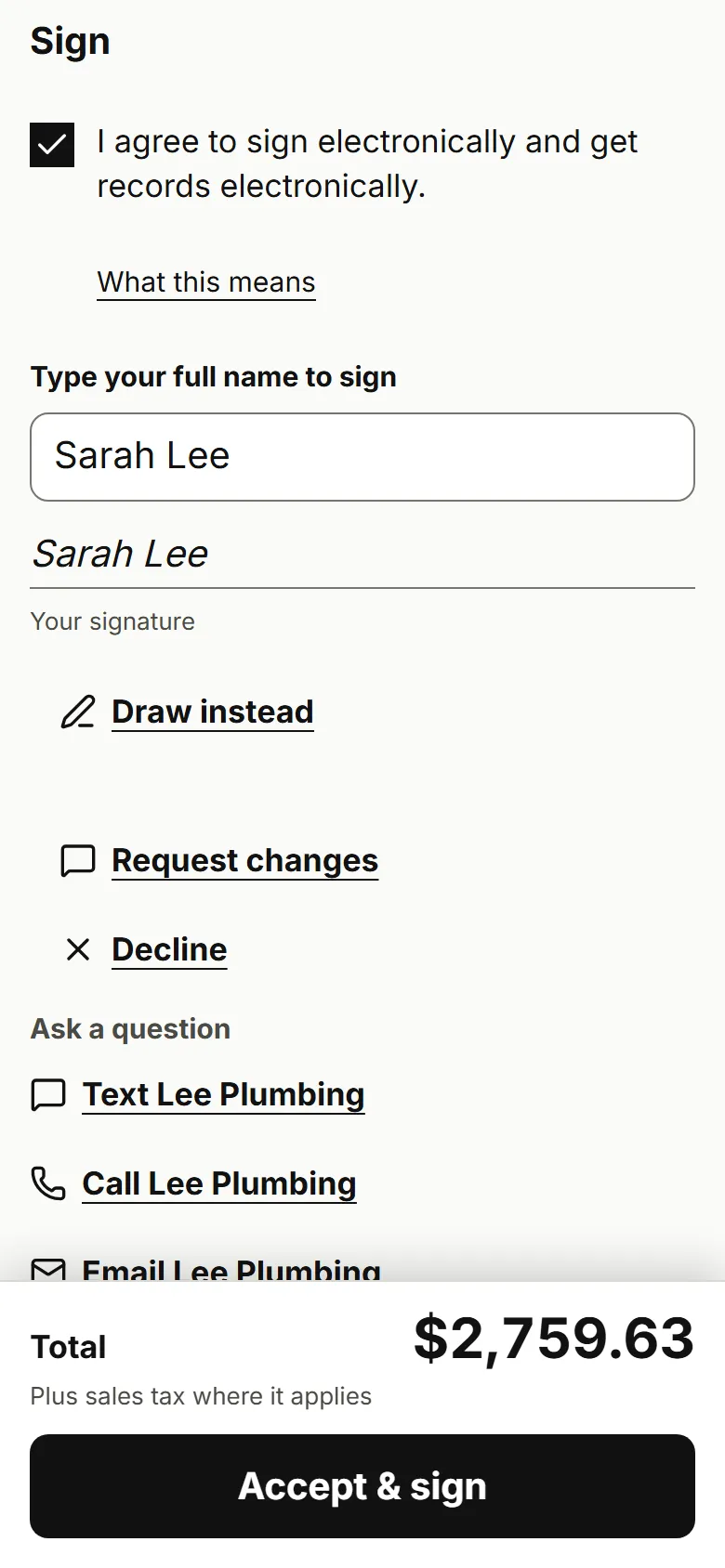
After picking an option they tick to sign electronically, type their full name or draw it, and tap Accept & sign.
Real screen · example data -
02
You both get the signed copy
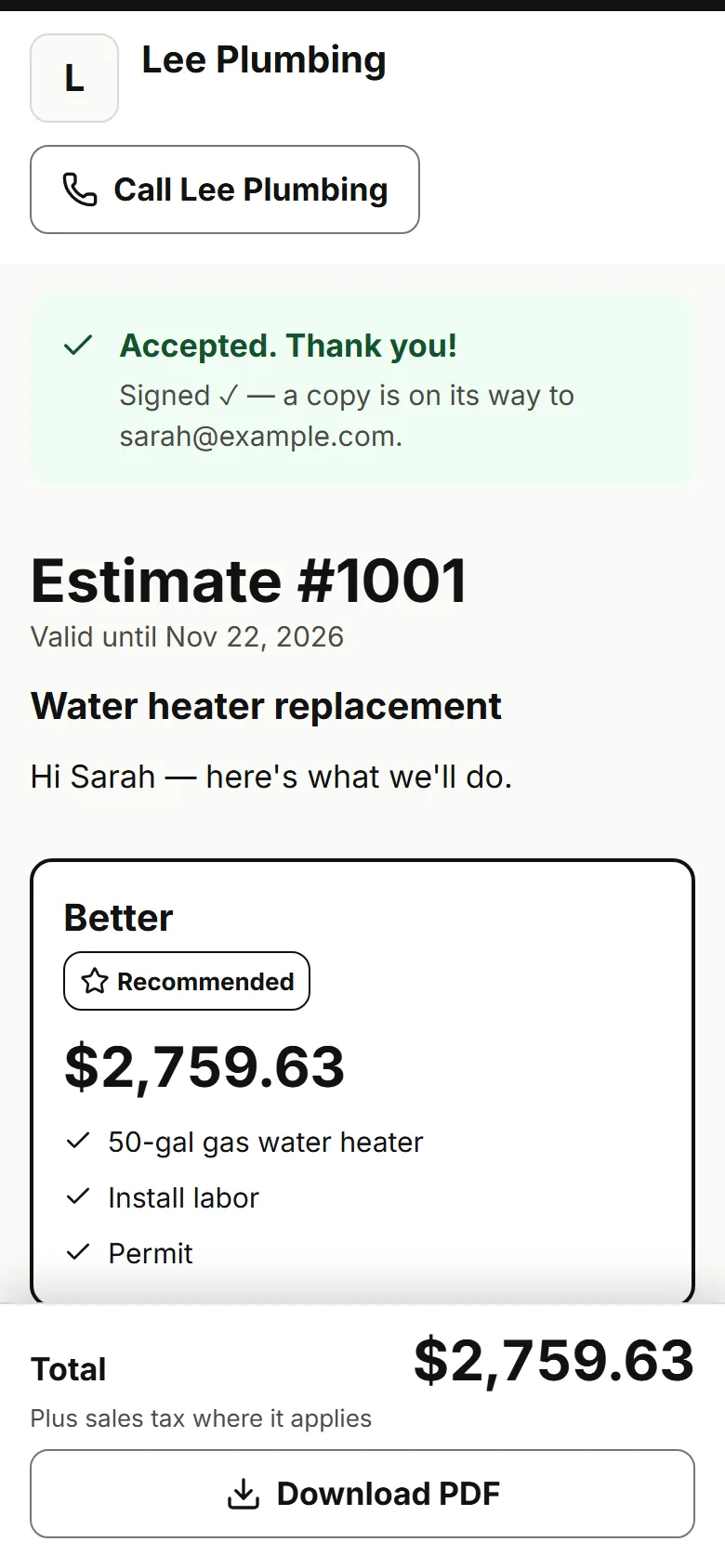
Your customer sees Signed ✓ and gets the PDF by email. You get it too, and the estimate shows Accepted.
Real screen · example data -
03
Every signature has a certificate
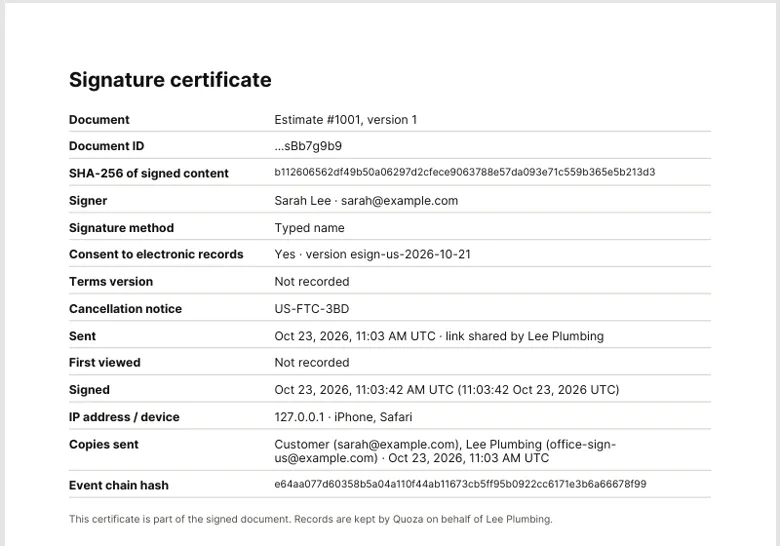
The signed PDF ends with a signature certificate: who signed, when, from which device. Any change after that is a new version.
Real screen · example data
What your customer sees
After picking an option, your customer sees your terms and, where it applies, their right to cancel. They tick to agree to sign electronically, type their full name and tap Accept & sign. Then they can download the signed PDF from the same link.
Good to know
You sign your own estimates only. You can't upload a contract from elsewhere to be signed.
Works for your trade
Free templates
Questions
Is a typed name a real signature?
Your customer agrees to sign and get records electronically before they sign, and Quoza keeps what they agreed to, when, and the exact version in a signature certificate. Whether that's enough for your job is a legal question; this isn't legal advice.
Does my customer need an app or an account?
No. They open the link on their phone or computer and sign there.
Do we both get a copy?
Yes. The signed PDF goes to you by email, and to your customer if their email is on the estimate. They can also download it from the same link.
Can they sign on my phone at the job?
Yes. Open the estimate, tap Sign on this device and hand them your phone.
What if they want changes instead?
They tap Request changes and tell you what to change, or Decline. Nothing is signed until they tap Accept & sign.
What about the right to cancel?
For a private customer, Quoza adds a cancellation notice with the last day to cancel. Rules differ by state; check your own. This isn't legal advice.
Your next estimate, from the driveway.
Start with an example estimate. Your first 5 are free.
$29/mo flat · 5 free estimates · 3 free AI drafts · no timer · See pricing
Next: we email you a sign-in link.