Get paid
Take card or bank payments without changing how you get paid
Paste the checkout link you already use, or add your bank details. Your customer pays you directly, and every payment says who confirmed it.
$29/mo flat · 5 free estimates · 3 free AI drafts · no timer
Next: we email you a sign-in link.
Example
Paid straight to Lee Plumbing. Quoza never touches your money.
- Payment link
- Bank transfer
Example. Lee Plumbing is a made-up business.
Quick answer
In Settings › Payments, tap Add payment link and paste the checkout link you already use, or Add bank details. After your customer signs an estimate with a deposit, they see How to pay with the amount and a reference, and a line saying the money goes straight to you. They pay on your provider's page or by transfer, then tap I've paid.
How it works in Quoza
-
01
Add the way you already get paid
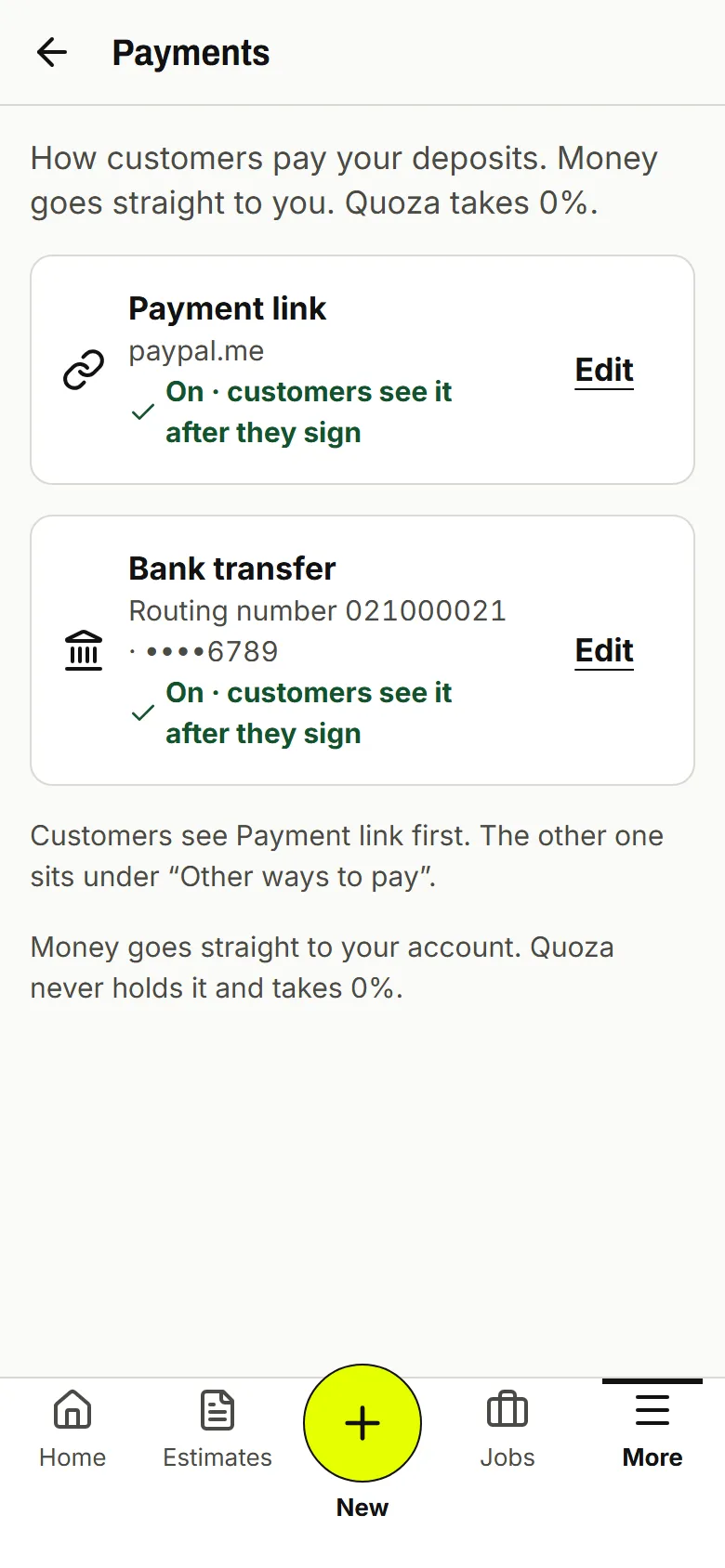
In Settings › Payments, tap Add payment link and paste your checkout link, or Add bank details. Nothing new to sign up for.
Real screen · example data -
02
Your customer pays your link
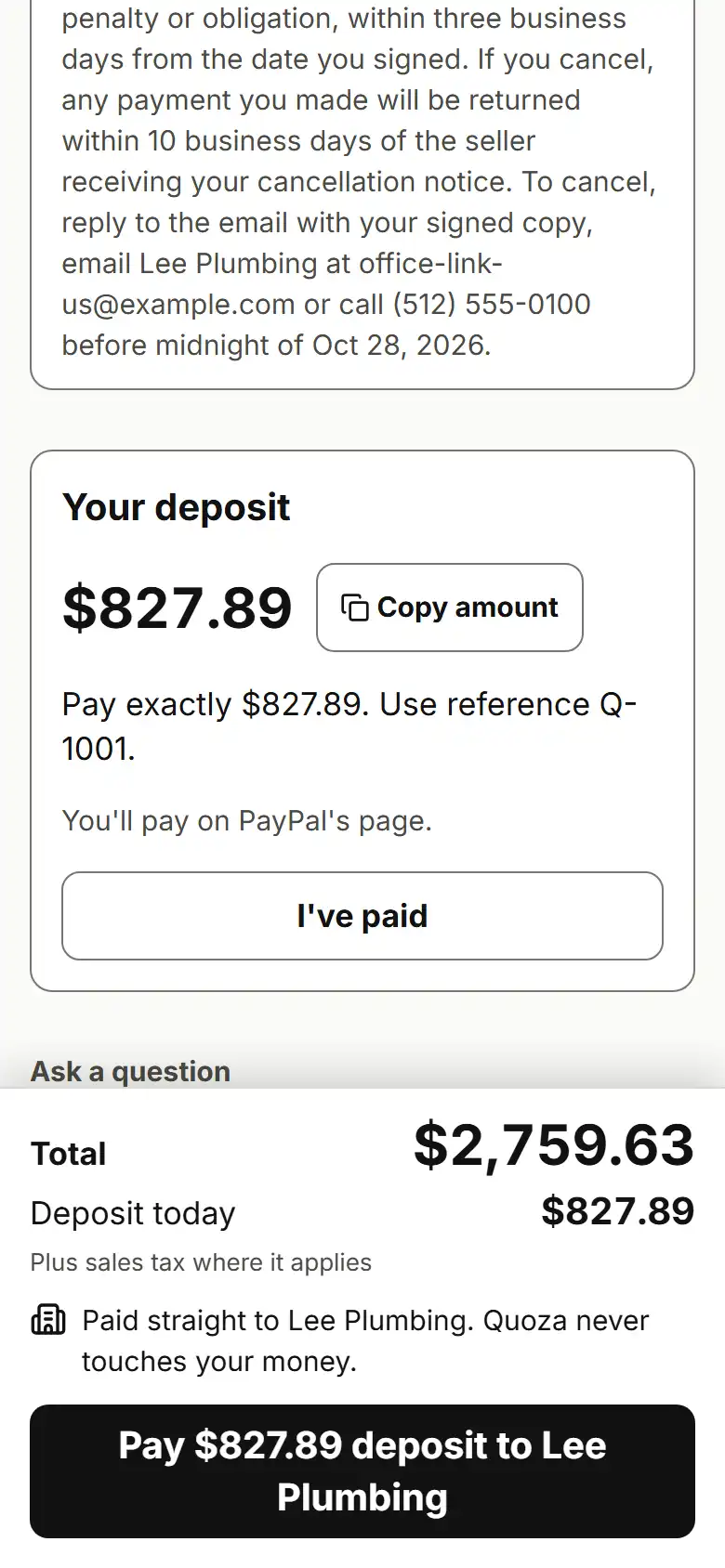
After they sign, How to pay shows the amount, a reference and a button to your link, with Paid straight to your business.
Real screen · example data -
03
Or by bank transfer
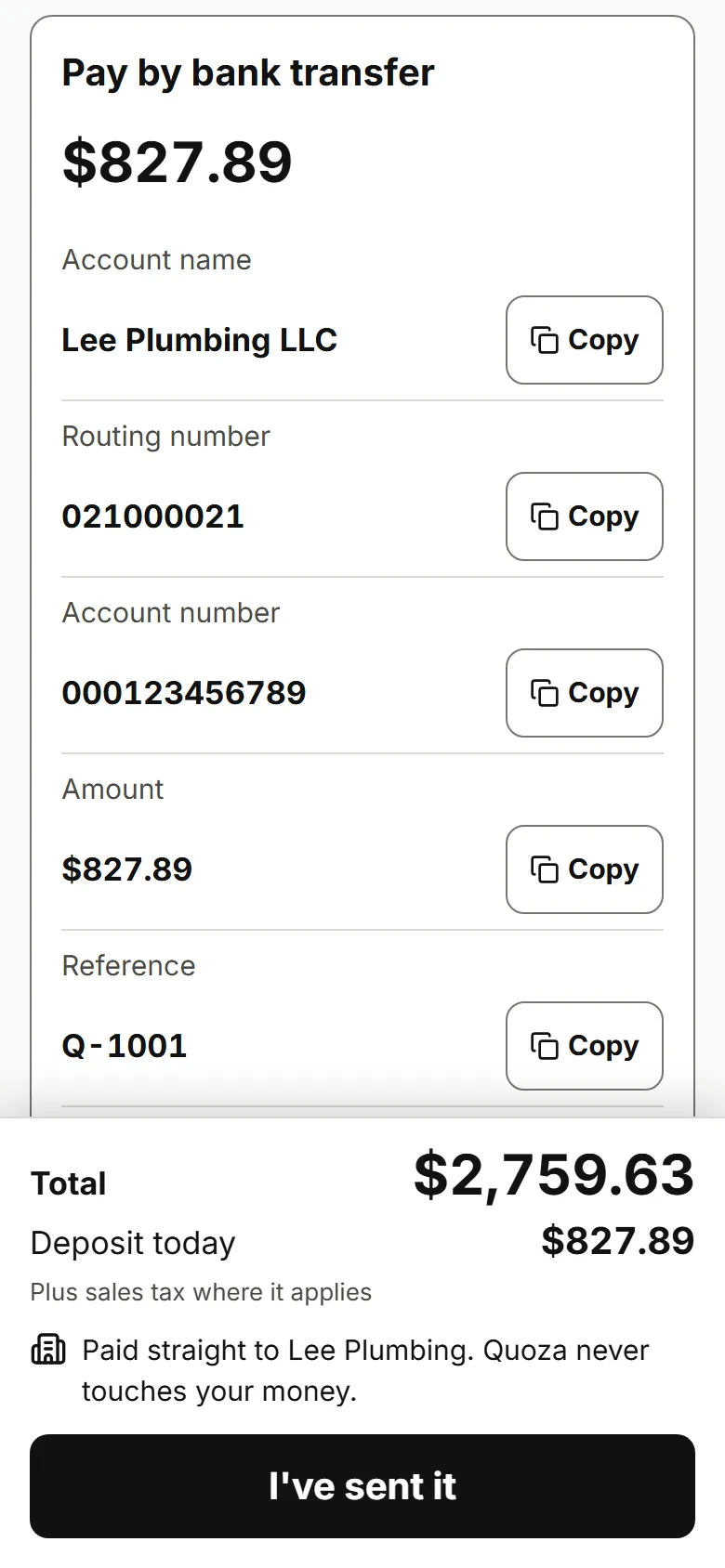
Your bank details show with the amount and a reference to copy, and a note that you never change details by email.
Real screen · example data
What your customer sees
Your customer sees one line that says who they're paying: Paid straight to your business, Quoza never touches your money. Then a button to your payment link, or your bank details with a reference to copy, and I've paid when they're done.
Every payment says who confirmed it
Paid straight to Lee Plumbing. Quoza never touches your money.
-
Paid · confirmed by Lee Plumbing
You checked your account
-
Marked paid by you
You marked it, no check
-
Customer says paid · not confirmed
Not counted until you confirm
Example. Lee Plumbing is a made-up business.
Good to know
Link and bank payments count as paid only after you confirm them.
Works for your trade
Free templates
Questions
Do I need a new card processor?
No. Paste the checkout link you already use for your business. Your customer pays on your provider's page, not in Quoza, and your provider's usual fee applies. Quoza takes 0%.
Which payment links work?
Any https checkout link you use for your business. Your customer sees which site they'll pay on before they tap.
What bank details do I add?
The ones your customers already use to pay you: account name, routing number and account number. Customers see them after they sign, with the amount and a reference.
Is my bank account number safe?
It's stored encrypted and shown only on your customer's estimate page after they sign, with a note that you never change details by email.
Who confirms a payment?
You do. Quoza can't see your bank or your link provider. When your customer taps I've paid, it shows as not confirmed until you check and tap Got it.
Your next estimate, from the driveway.
Start with an example estimate. Your first 5 are free.
$29/mo flat · 5 free estimates · 3 free AI drafts · no timer · See pricing
Next: we email you a sign-in link.