Win the job
Send the estimate before you leave the driveway
Type your lines on your phone, see it the way your customer will, and text them one link to pick and sign.
$29/mo flat · 5 free estimates · 3 free AI drafts · no timer
Next: we email you a sign-in link.
Example
Example
Example estimate. Lee Plumbing is a made-up business.
Paid straight to Lee Plumbing. Quoza never touches your money.
Quick answer
Start an estimate on your phone and add a line for each item with its qty and price, or tap Try an example. A line without a price is marked Needs price and keeps Send off. Tap Preview as customer to check it, then Text from my phone sends one link. Your customer picks an option and signs on that page.
How it works in Quoza
-
01
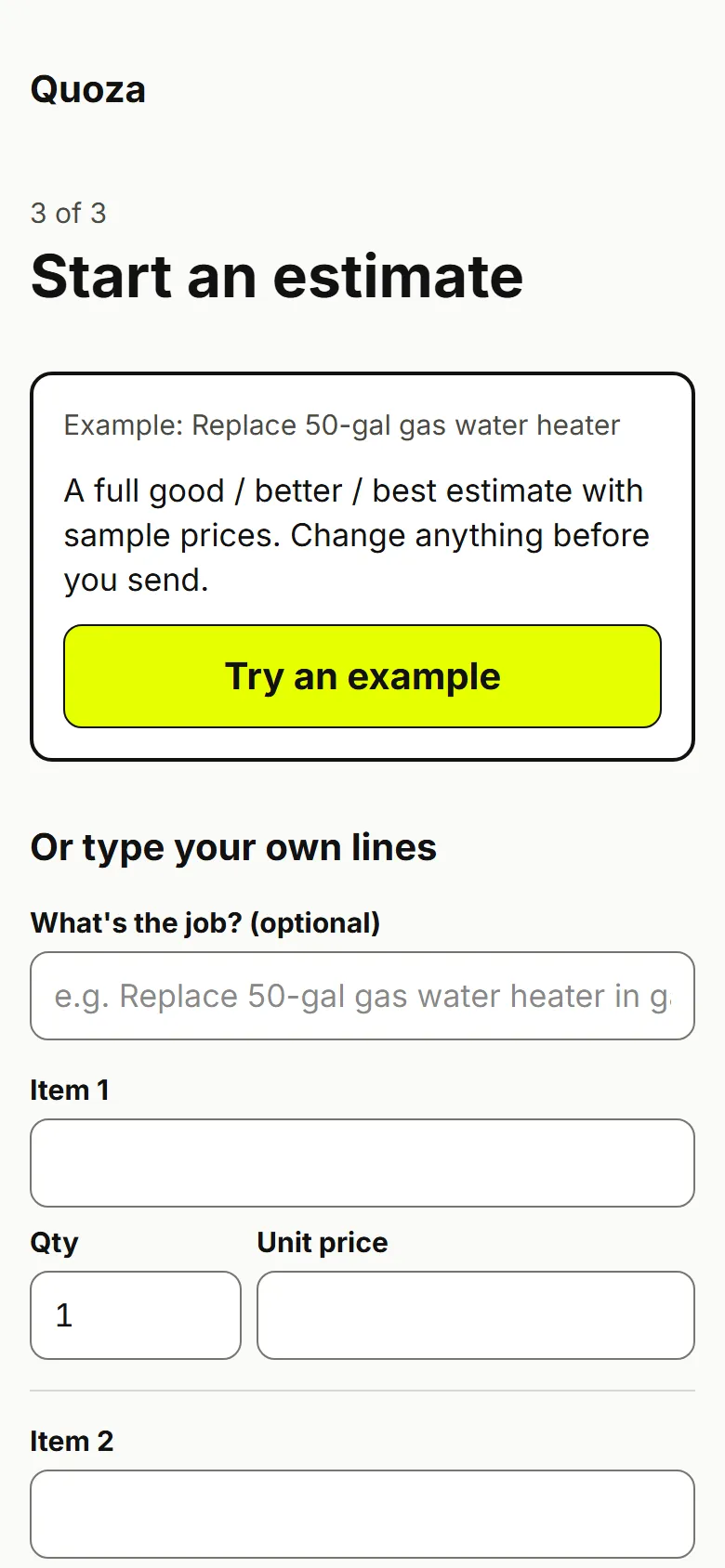
Type the job, or try an example
Add a line for each item: name, qty and price. Not sure of a price yet? Leave it empty and it's marked Needs price.
Real screen · example data -
02
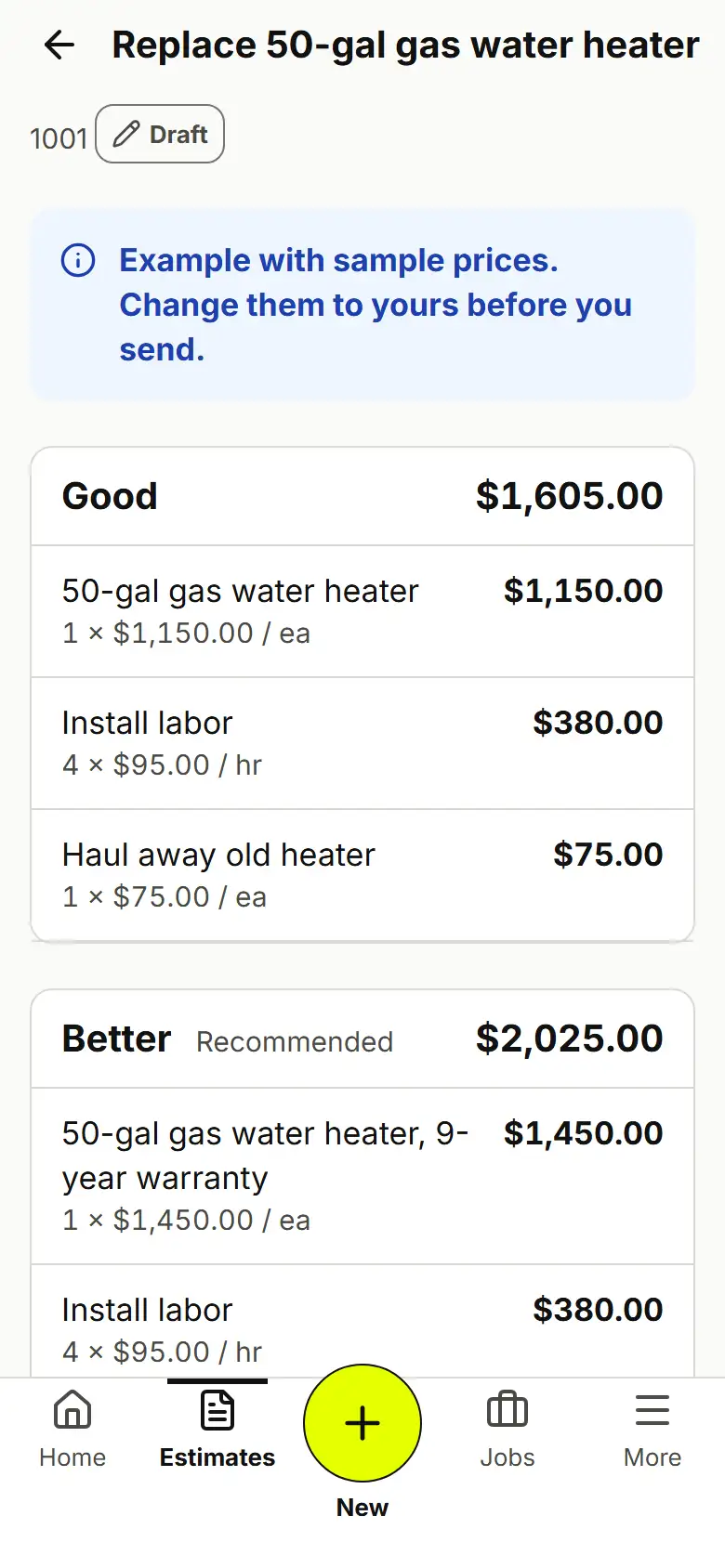
Check every line and total
Each option shows its lines and its total. A line marked Needs price keeps Send switched off, so nothing goes out at $0.00.
Real screen · example data -
03
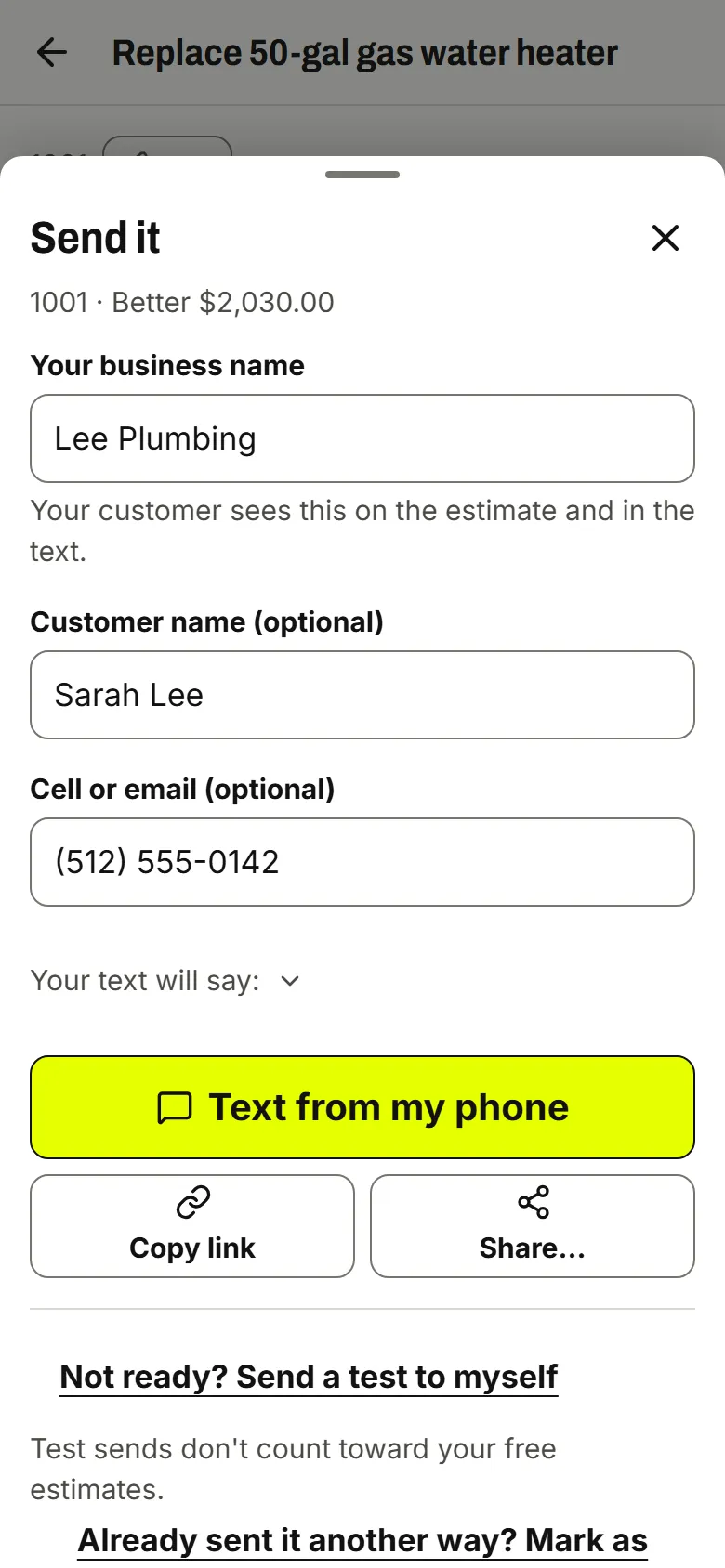
Text it from your own phone
Tap Send estimate, add the customer's name and cell, then Text from my phone. Or copy the link and paste it anywhere.
Real screen · example data -
04
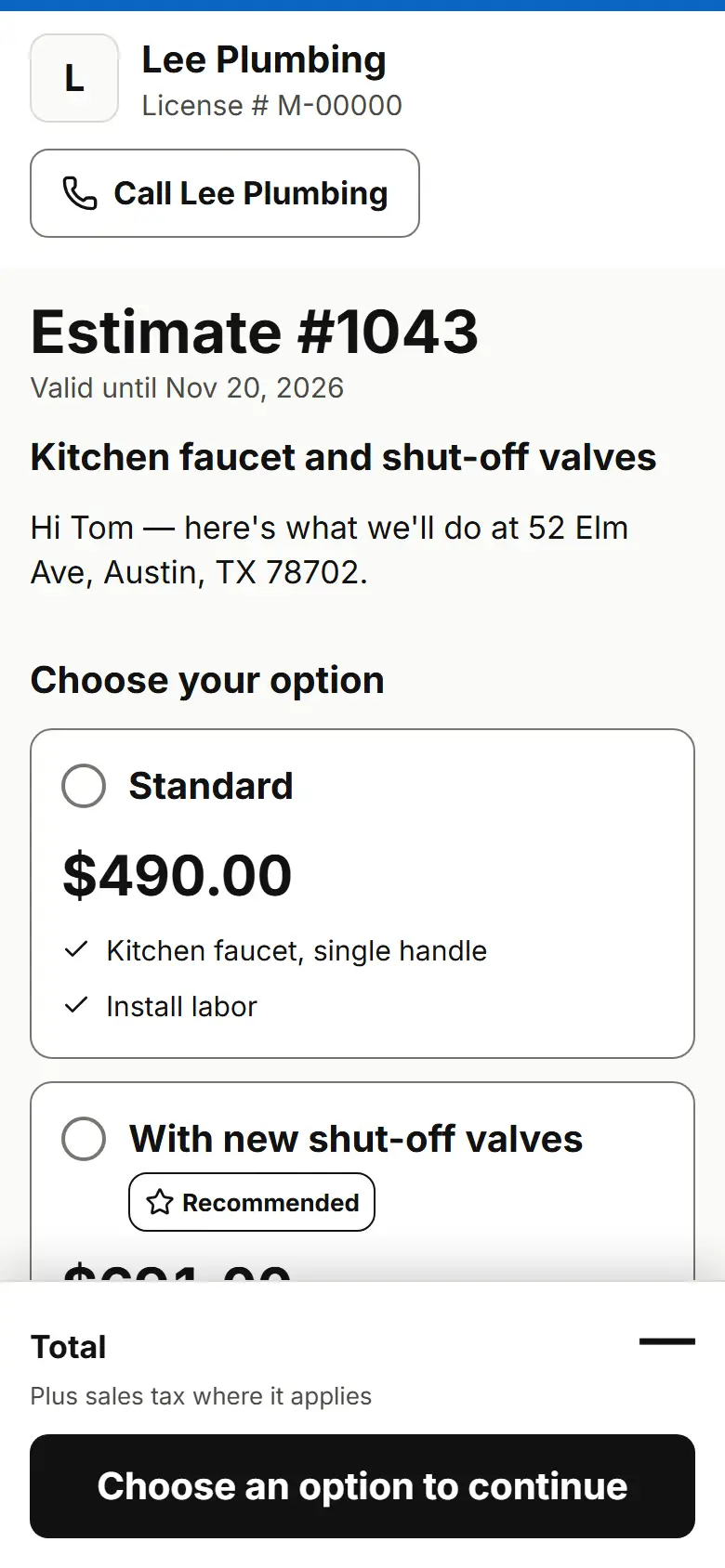
Your customer opens one link
No app and no login for them. They see your business name, the job and the options, and pick one.
Real screen · example data
What your customer sees
Your customer gets a text from your number with one link. The page shows your business name, the job, and what's included. They pick an option, tick that they agree to sign electronically, type their name and sign. They can also ask for changes or decline.
Good to know
Quoza doesn't measure roofs or do material takeoffs. You price the job; it builds and sends the estimate.
Works for your trade
Free templates
Set it up
An estimate that sits in your truck until Sunday night is an estimate the customer has already got from someone else. Quoza is built to send it while you're still on the job.
How it works today
Type the job and your lines on your phone: what it is, how many, and your price. If you're not sure of a price, leave it empty. The line is marked Needs price and Send stays off, so nothing goes out at $0.00 by accident. Not ready to write a real one? Try an example builds a full good / better / best estimate with sample prices for your trade so you can see the whole thing end to end.
Before you send, Preview as customer shows the exact page your customer will get. Then Text from my phone opens your own messages app with the link filled in. You can also copy the link, share it, or mark it as sent if you already sent it another way.
What your customer gets
One link. No app, no account. Your business name at the top, the job, the options and what's included. They pick an option, agree to sign electronically, type their name and sign. If something's not right, they can ask for changes or decline, and you see the status in your estimates list.
Want to try it on yourself first? Send a test to myself emails you the real page and doesn't count toward your free estimates.
Questions
Can I change an estimate after I send it?
Not yet. You can't change the lines or prices of an estimate you've sent. If something's wrong, start a new one and send that instead.
Does my customer need an app or an account?
No. They get one link, by text or however you send it, and open it in their browser. They can read every line and sign right there.
What if I don't know a price yet?
Leave the price empty. The line is marked Needs price and Send stays off until every line has a price, so your customer never sees a $0.00 line. Add the price on the review screen when you know it.
Can I see it the way my customer will?
Yes. Tap Preview as customer to see the exact page your customer gets. Nothing in the preview is sent and nothing can be signed there.
Can my customer ask for changes?
Yes. On the estimate page they tap Request changes and write what they'd like changed, or Decline. You get their message by email and see it on the estimate.
What does it cost?
Your first few estimates are free, with no card and no timer. See the pricing page for the current price and what's included.
Your next estimate, from the driveway.
Start with an example estimate. Your first 5 are free.
$29/mo flat · 5 free estimates · 3 free AI drafts · no timer · See pricing
Next: we email you a sign-in link.