Get paid
Get the deposit when they sign, straight to your account
Turn on a deposit on the quote. Your customer pays your own payment link or your bank. Quoza never touches the money.
£25/mo flat · 5 free quotes · 3 free AI drafts · no timer
Next: we email you a sign-in link.
Example
Paid straight to Patel Electrical. Quoza never touches your money.
-
Paid · confirmed by Patel Electrical
You checked your account
-
Marked paid by you
You marked it, no check
-
Customer says paid · not confirmed
Not counted until you confirm
Example. Patel Electrical is a made-up business.
Example. Patel Electrical is a made-up business.
Quick answer
Add your payment link or bank details once in Settings › Payments. On a quote, turn on Ask for a deposit and pick a percent or a fixed amount. After your customer signs, they see How to pay with the amount and a reference, pay you directly and tap I've paid. You check your account and tap Got it.
How it works in Quoza
-
01
Add how you get paid
In Settings › Payments, tap Add payment link and paste the checkout link you already use, or Add bank details.
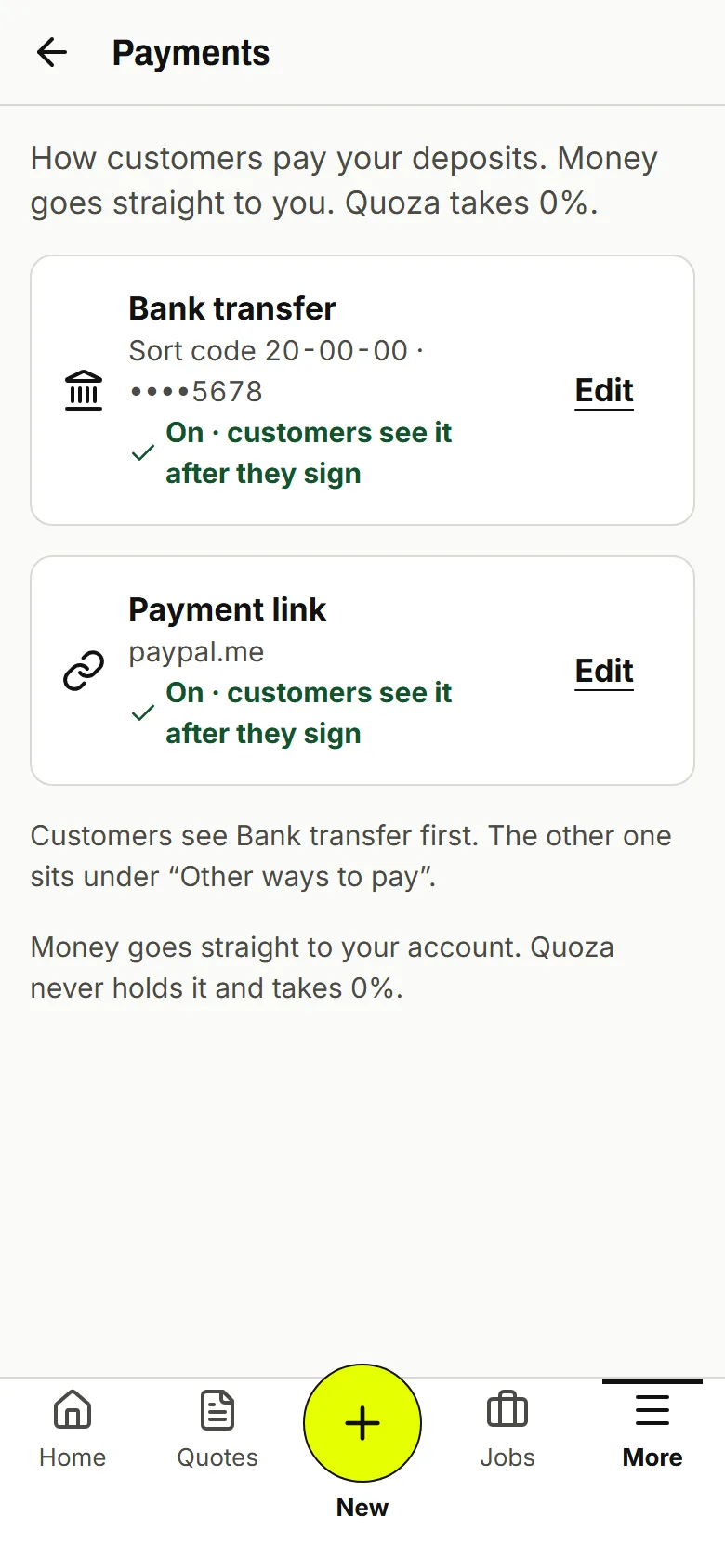
Real screen · example data -
02
Ask for a deposit on the quote
Turn on Ask for a deposit and pick % or Fixed. Your customer sees Total and Deposit today before they sign.
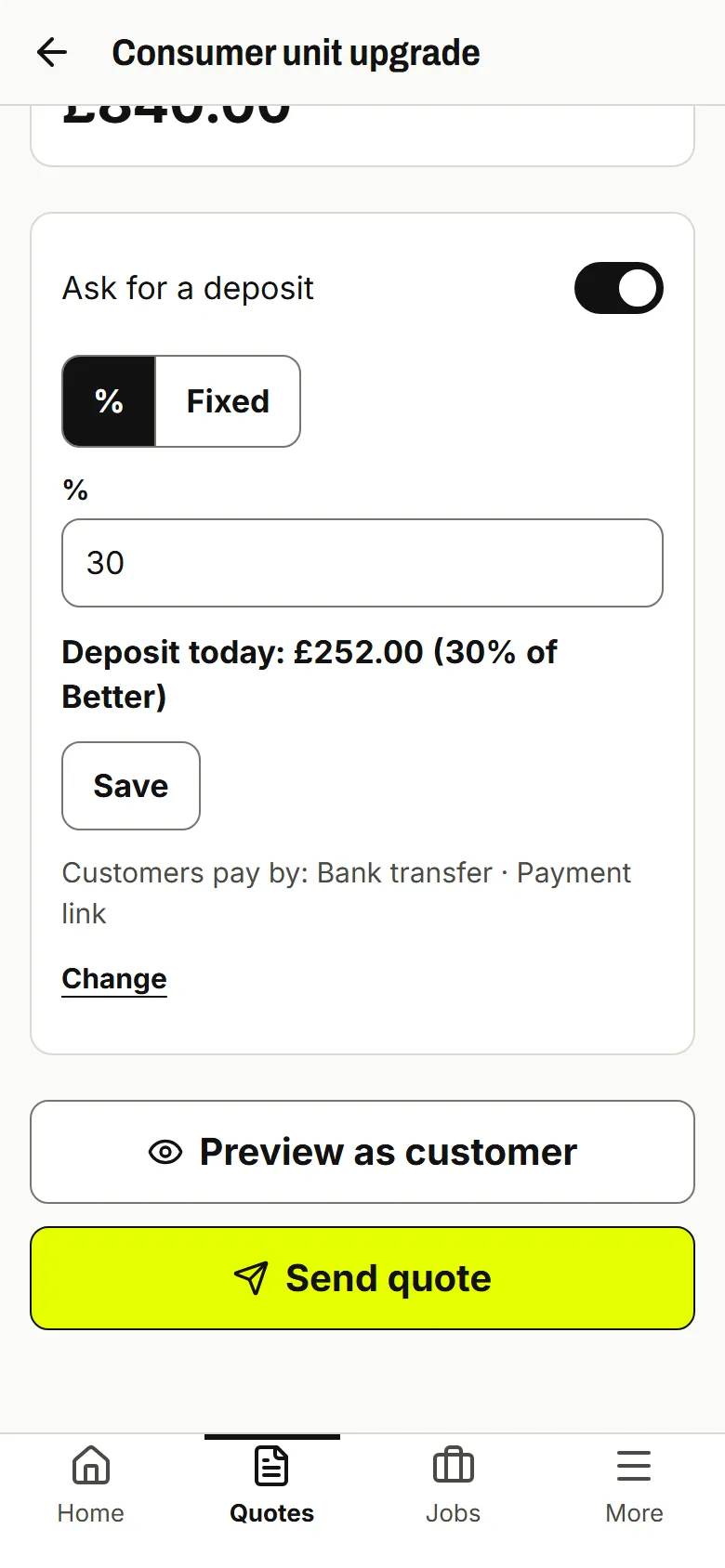
Real screen · example data -
03
They sign, then pay you
After signing they see How to pay: your link, or your bank details with a reference. Then they tap I've paid.
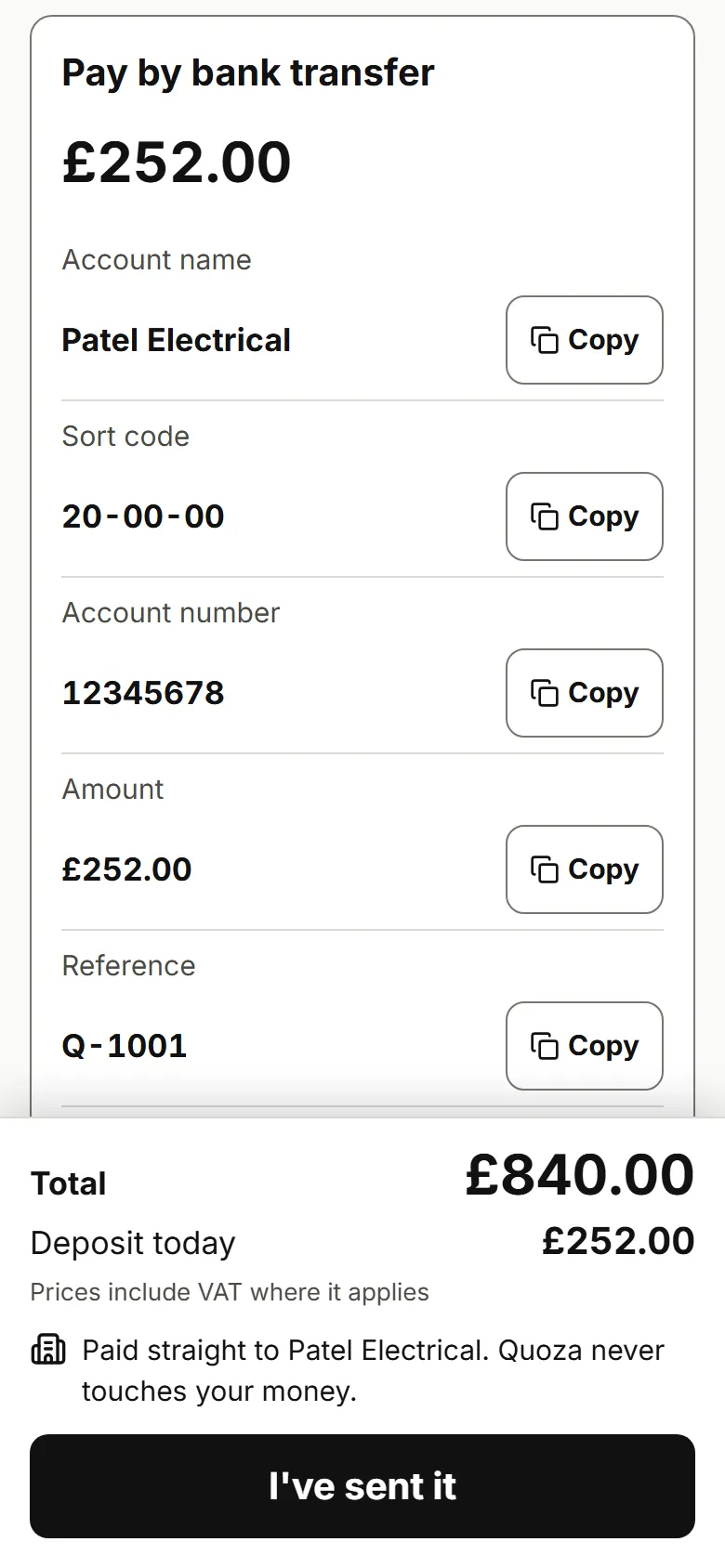
Real screen · example data -
04
You check it landed
You see Customer says paid · not confirmed. Check your account, then tap Got it or Not yet. Paid in cash? Mark deposit as paid.
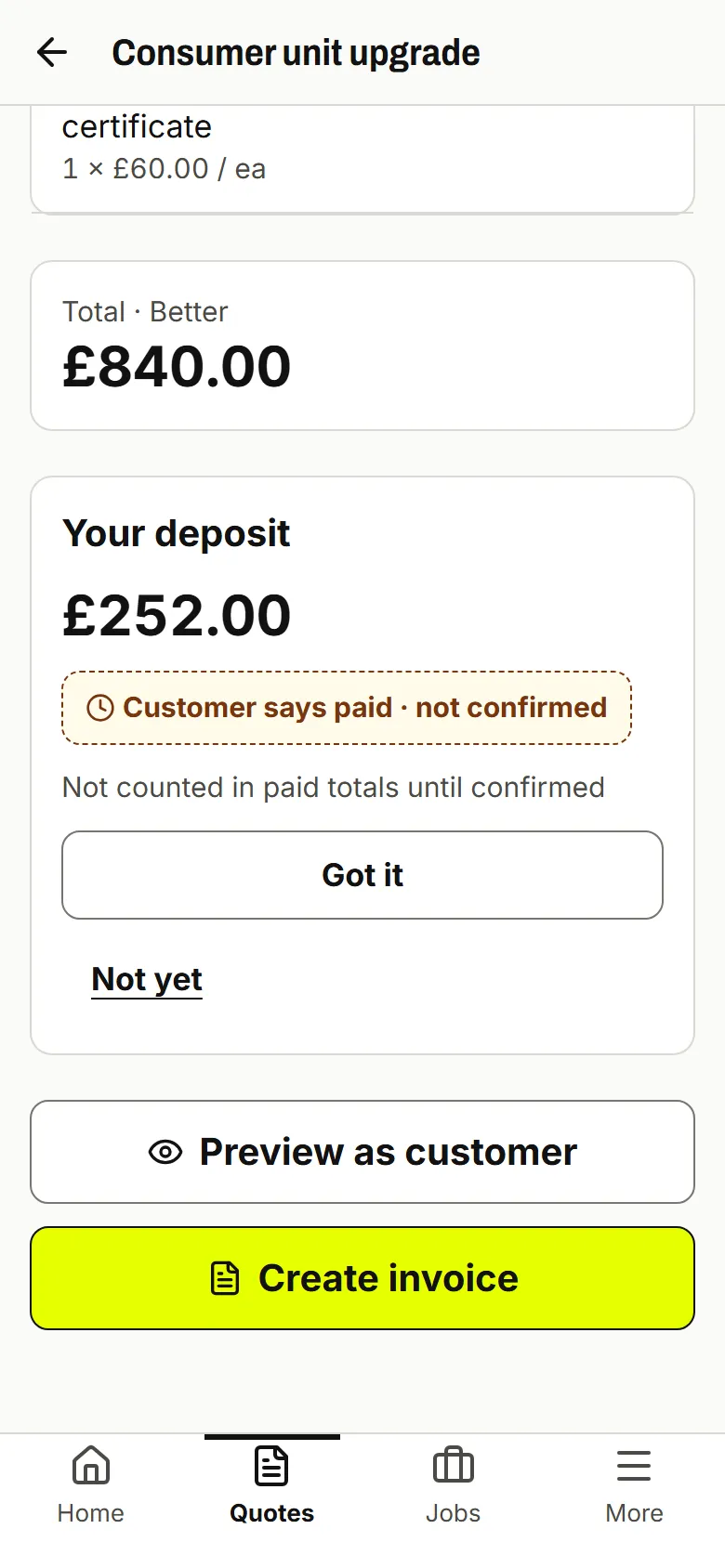
Real screen · example data
What your customer sees
After signing, your customer sees the deposit amount, who it's paid to and how to pay: a button to your payment link, or your bank details with a reference to copy. The page says the money goes straight to you.
Good to know
Quoza can't see your bank or payment link, so a deposit counts as paid only after you confirm it.
Quoza doesn't take card payments itself. Your customer pays on your provider's page or by bank transfer.
Works for your trade
Questions
Does the money go through Quoza?
No. Your customer pays your own payment link or your bank account. Quoza never holds or touches the money, and takes 0%. Your provider or bank charges its usual fee, if any.
How do I know they really paid?
When your customer taps I've paid, you see Customer says paid · not confirmed. It isn't counted in paid totals until you check your account and tap Got it.
What if they tap I've paid but nothing arrived?
Tap Not yet. The deposit stays unpaid and isn't counted. Give your customer a call to sort it out.
They paid cash. How do I record it?
Open the quote and tap Mark deposit as paid. It shows as Marked paid by you.
What about my customer's right to cancel?
For a private customer, the quote shows their right to cancel before they sign, and they can tick that they want work to start early. If they cancel, you may have to pay the deposit back. Check the rules for your work; this isn't legal advice.
Your next quote, from the driveway.
Start with an example quote. Your first 5 are free.
£25/mo flat · 5 free quotes · 3 free AI drafts · no timer · See pricing
Next: we email you a sign-in link.